Garment Collision with Cache
发布于:2024-11-21
Functional Description
- Support collision with recorded garment cache during garment simulation

- Support garment cache collision with UE objects

Operating Instructions
Step 1: Setting up the Garment Collision Box
Setting the convex collision box for the Garment Static Mesh Actor (this step can be skipped when the collision type is Not Convex)


Step 2: Setting the collision type in the cache
First, ensure the apparel is in Garment Cache Play mode and that valid cache data is configured.
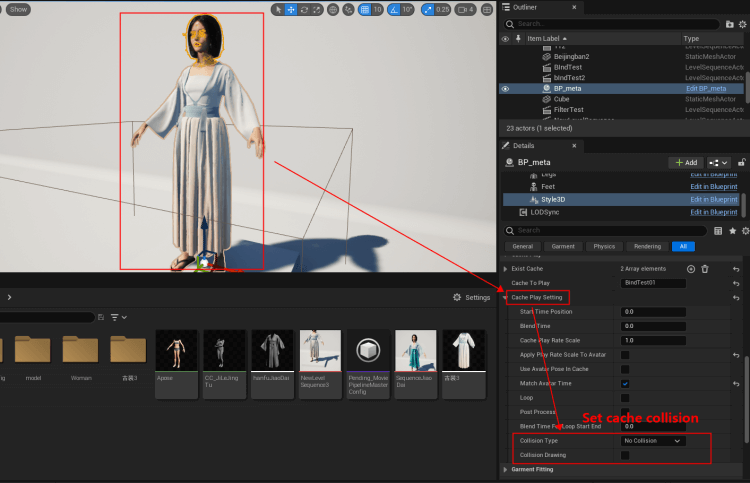
Setting up cache collision:
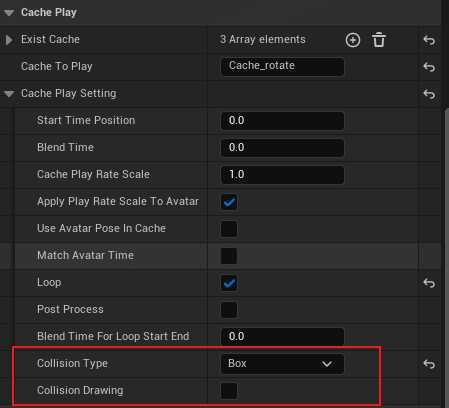
Collision Type:
- No Collision
- Box----Bingbox Collision
- Convex----Bumpy Collision
- Triangle----Vertex Mesh Collision
Collision Drawing :
Used to visualization of collision bodies in play.
P.S. Triangle collision type not supported yet; more performance-intensive
Step 3: Setting up the collision object in the solved garment
- The solved garment character is set in Garment Simulate or Garment Cache Record mode.
- Check in the solver properties Collision Convex
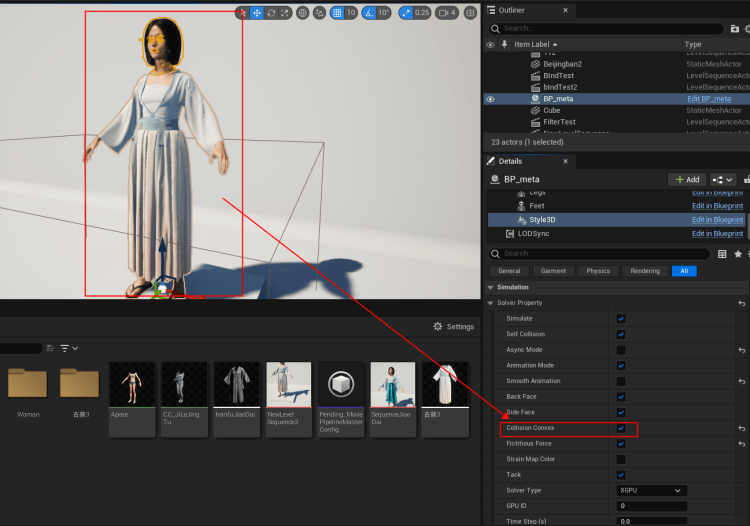
- Select the garment cache involved in the collision
In Obstacle Garment Obstacles, use a straw to select the Actor that will be the collision actor in the scene.
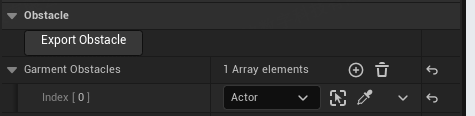
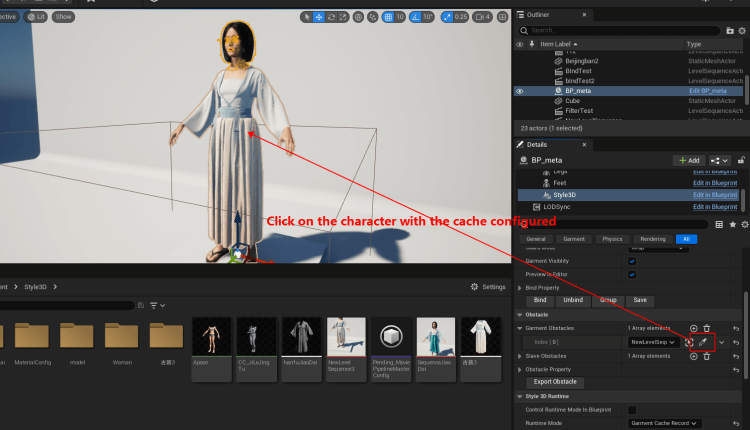
- Click Play to generate a collision and solve it
Common Issues
- The collision effect between garment and cache in Sequencer is poor, resulting in penetration.
You can increase the frame rate of Sequencer to improve collision effects.
