Soft Body(V2.4.0)
发布于:2024-11-21
Feature Overview
Sets the character as a soft body, preventing the garment from pushing into the body when the animation limbs intersect.
.webp "spaces_j5Vdb5YLuQvjdowzvVYV_uploads_g2dfwePN3acJ3hoyfwvX_柔性人体 (1).webp")
- Set up multiple styles in the Style3D component, adding the character asset created in the previous step as clothing.
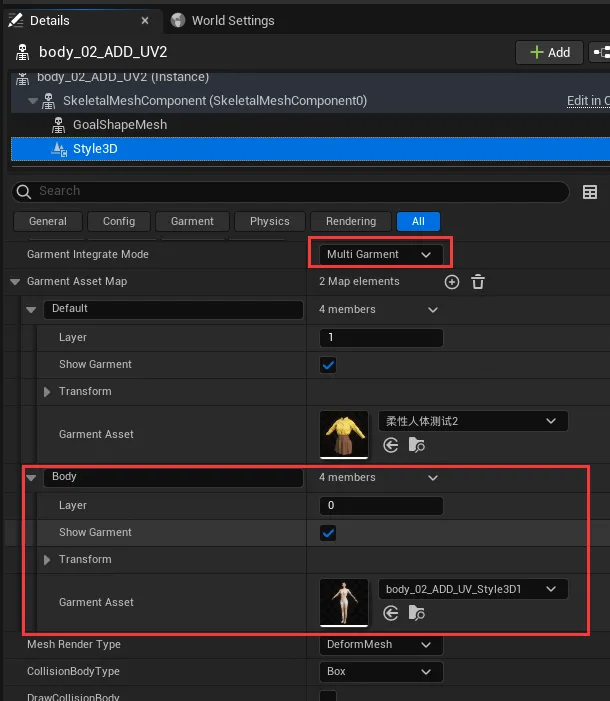
- In the Obstacle Property, uncheck Collision.

- Through the above configuration, the character asset (clothing) is set as a new collision body instead of colliding with the character skeletal mesh.
2. Configure GoalShape for the Character Asset (Clothing):
- Set the character skeletal mesh as GoalShape.

- Select all the pieces and enable Attach, uncheck Attach Obstacle.
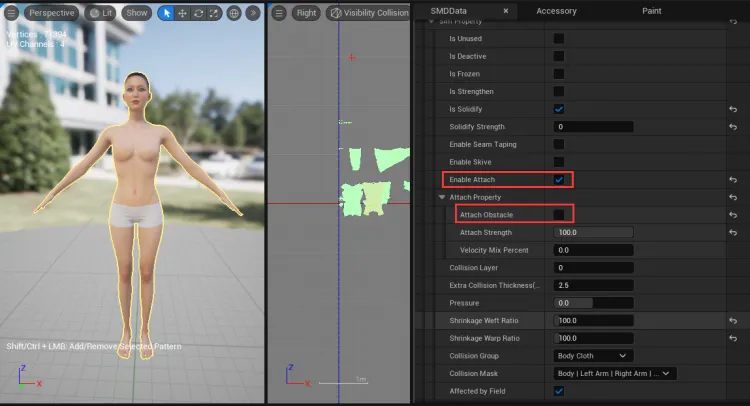
- Paint the areas on the character that need to be flexible.
- In the Smd Property, select Attach Strength.
- Set the AttributeValue to 0.9 (a value of 1 means fully attached to the skeletal mesh, not a soft body; a value between 0 and 1 means a soft body).
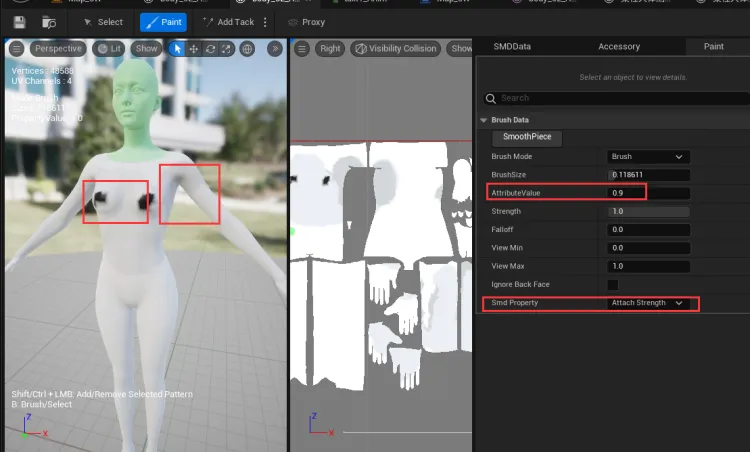
- Paint the chest and underarm areas as a soft body.
- Add GoalShape skeletal mesh in the outline.
- Under the character skeletal mesh, add a new skeletal mesh component (at the same level as the Style3D component) and rename it GoalShapeMesh.

- In GoalShapeMesh, add the character skeletal mesh and animation (the same as the main skeletal mesh).

- Uncheck Visible.

3. Hide the Main Character Mesh:
- Attach animation to the character and hide the mesh display.
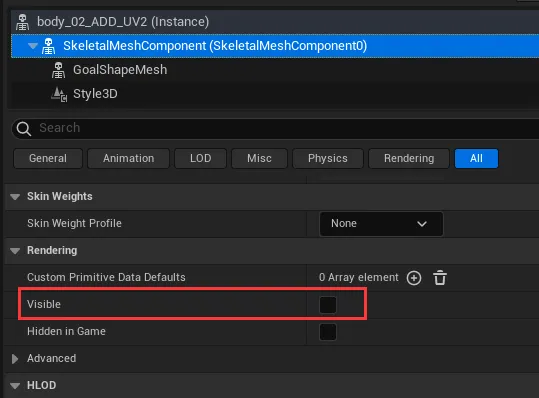
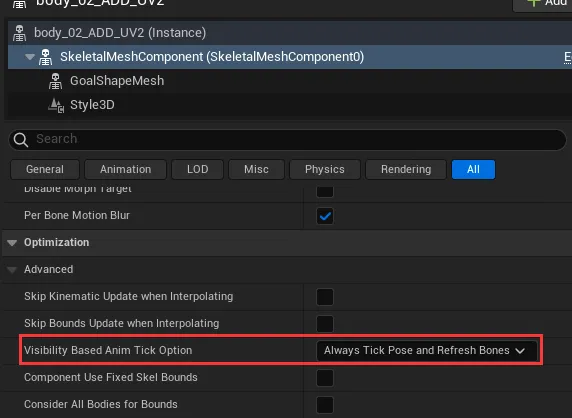
- Set the Tick Option to Always Tick Pose and Refresh Bones.
4. Simulation:
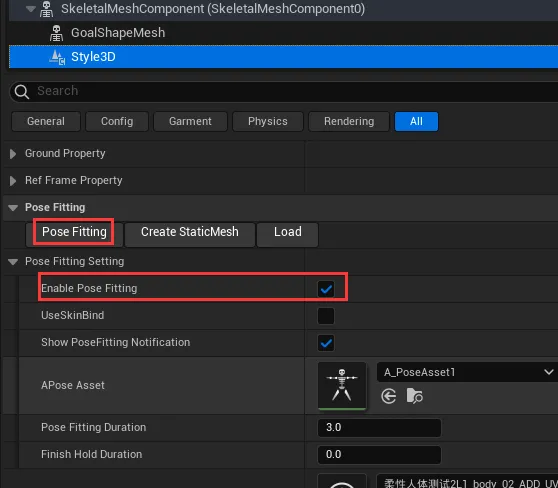
- Use Posefitting to fit the clothing to the animation.
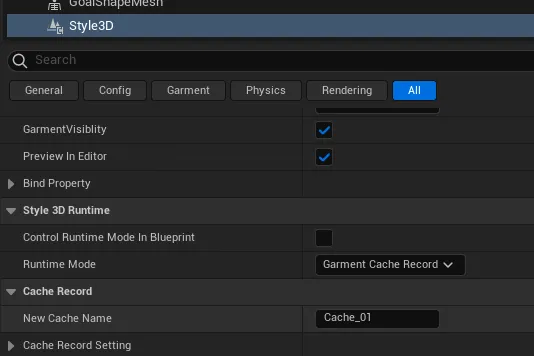
- Switch the mode to Cache Record and record the cache.
Common Issues
- Flexible body area collapses during cache recording:
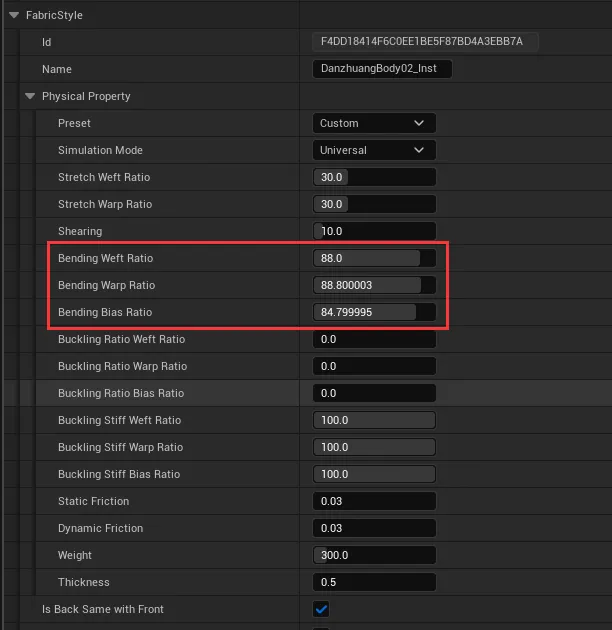
- Increase the Bending property in the physical attributes of the general mesh asset created by the character mesh to make the flexible area harder and maintain its shape.
- Does the Attach constraint painted on the body still work after using a soft body?:
- Although collision with the character skeletal mesh is disabled, the previously set clothing Attach to the body still works.
- Performance degradation after using a soft body:
- The addition of clothing assets in the soft body leads to normal performance degradation.