How to download a previous version
Question: How to download a previous version
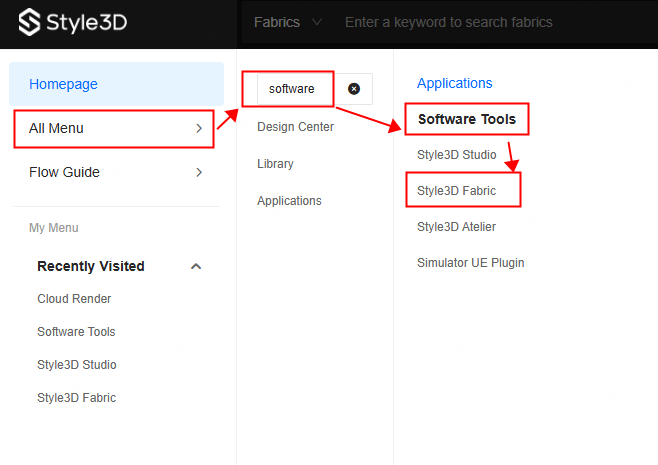
Answer: Log in to the Cloud platform homepage (Cloud homepage link), click on 'All Menus,' and enter 'Software' in the search box to access the software tools module. Click on 'Style3D Fabric' to enter the download page (Fabric download link).
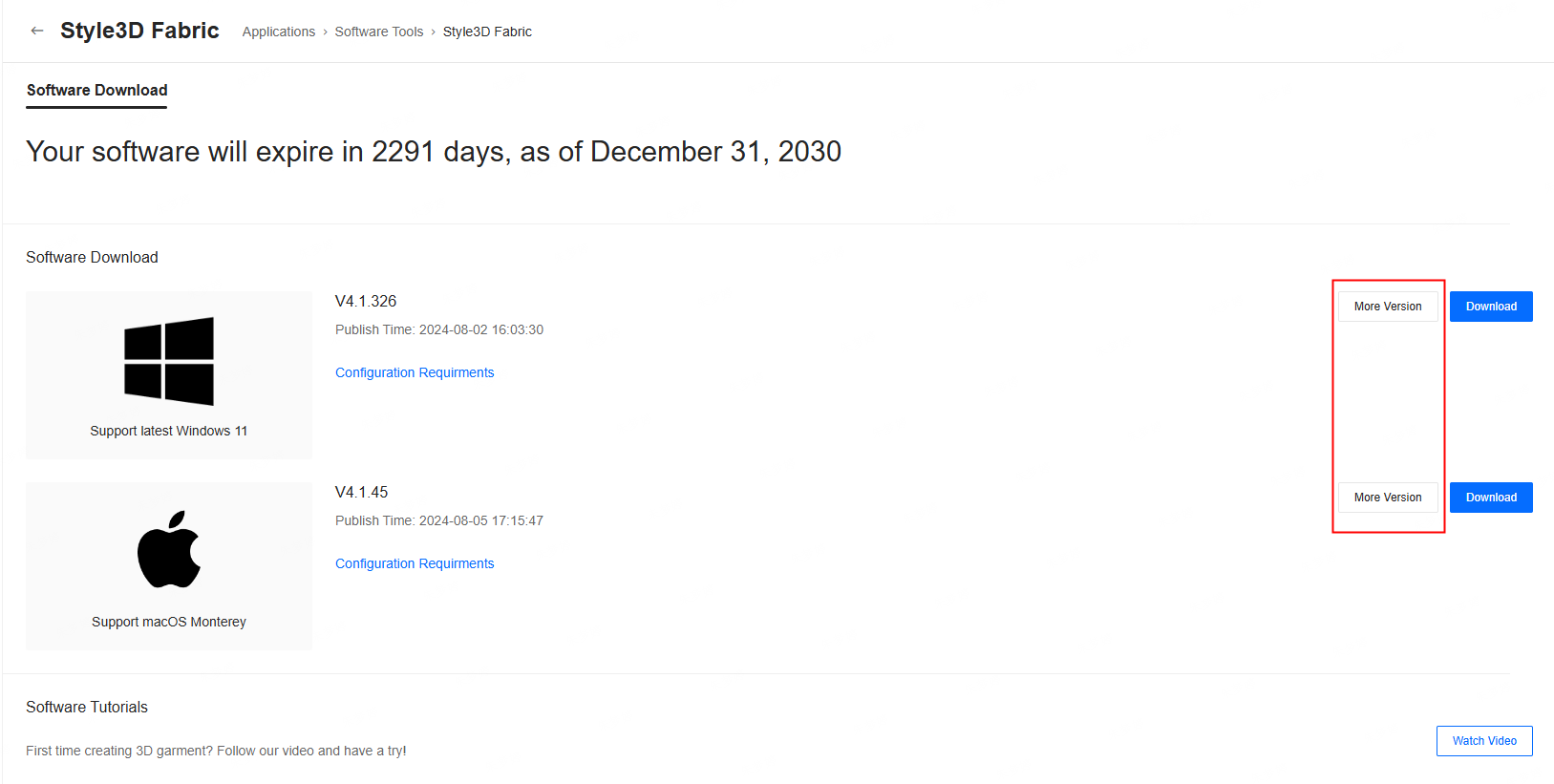
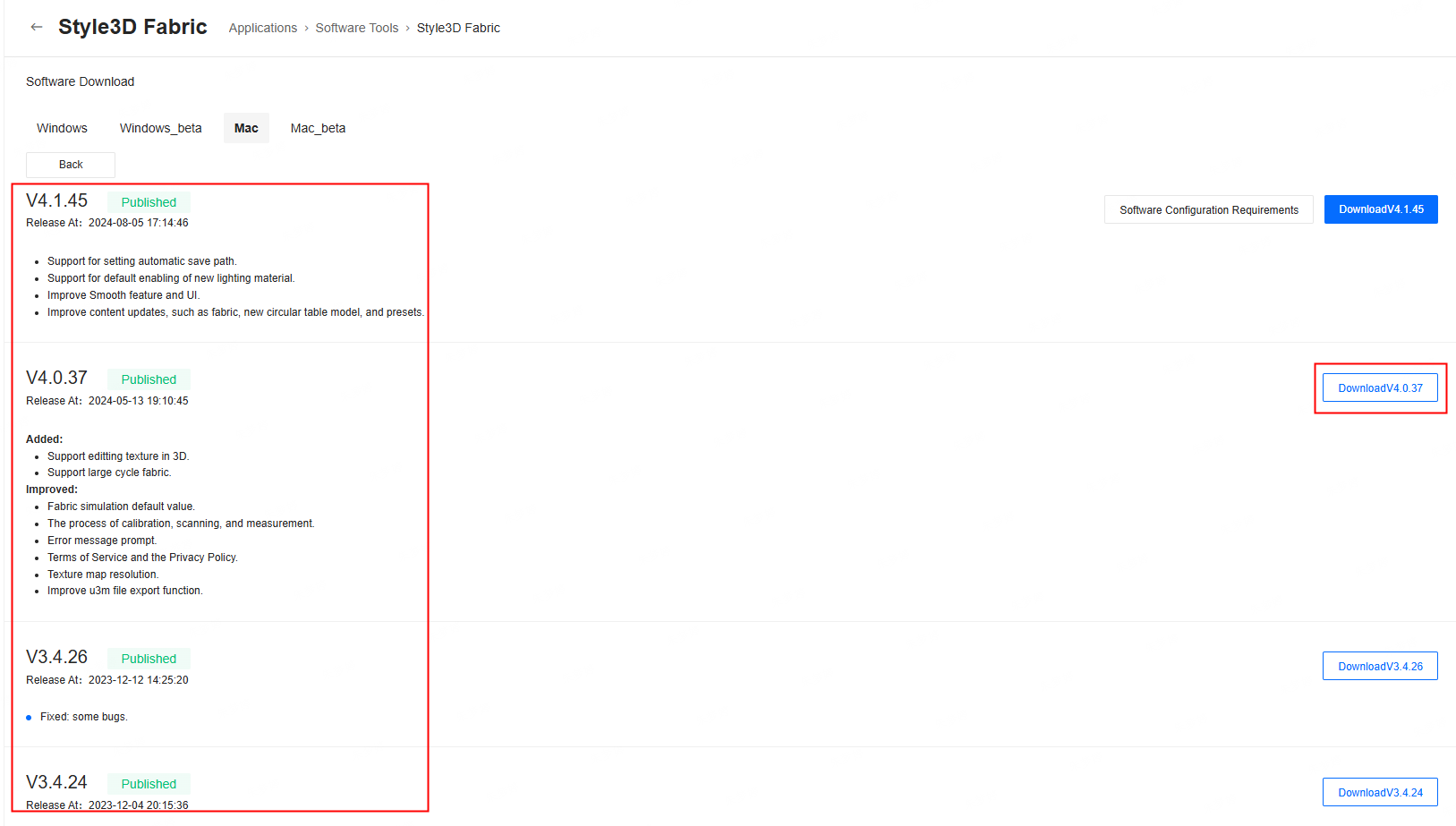
Based on your device type (Windows or Mac), click on 'More Versions' and download the corresponding version according to your needs.